Give Seedance 2.5 time to unfold
Give Seedance 2.5 an ordered brief that fits within four to thirty seconds. Describe where the action begins and how it ends, leaving time for the important movement to read.
ByteDance · Video generation
Create video with sound for up to 30 seconds using Seedance 2.5. Start from a prompt, guide the scene with media references or set the opening and ending images. Try the brief in the Playground, then use Funny AI’s API to bring video generation into your app.
From ≈$0.0925 / second · 16:9
Generated with standard Wan 3.0, not Seedance 2.5. Playing this illustration uses no credits. Your generated result will replace it here.
{
  "model": "bytedance/seedance-2.5",
  "prompt": "",
  "resolution": "480p",
  "aspectRatio": "adaptive",
  "duration": 4,
  "fps": 24,
  "n": 1,
  "generateAudio": true,
  "providerOptions": {
    "bytedance": {
      "draft": false
    }
  }
}
Prepare your Seedance 2.5 scene below. Choose a duration, add the inputs that guide the action and review the current estimate before generating; Draft mode uses 480p.
An adult traveler in a red raincoat walks slowly across a small stone bridge in a misty green valley, carrying a closed yellow umbrella. The traveler pauses at the midpoint and looks toward a warm light in a distant cottage. Gentle cinematic storybook atmosphere, wide static camera, soft morning fog. One continuous five-second shot, one person only, no text, no logos, no watermark.
Use this bridge scene as a brief to adapt for Seedance 2.5: a traveler walks, pauses and looks toward a cottage. The illustration was generated with Wan 3.0, so it does not demonstrate the longer duration or soundtrack available on the model described here.
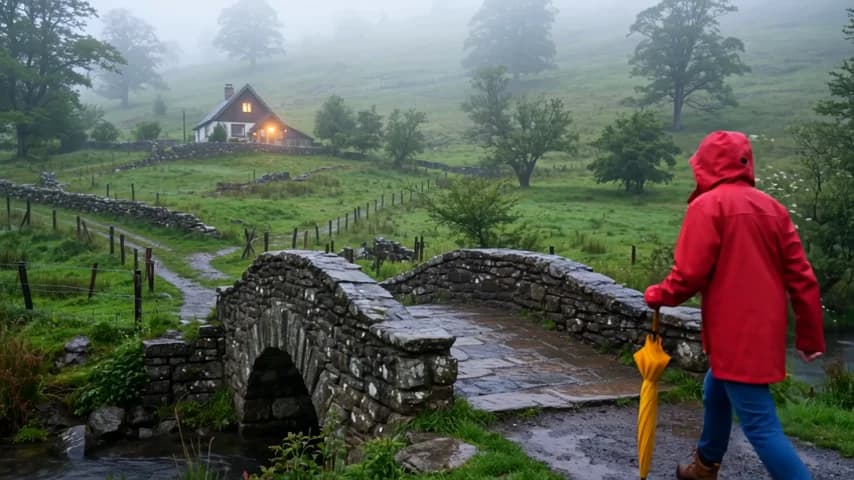
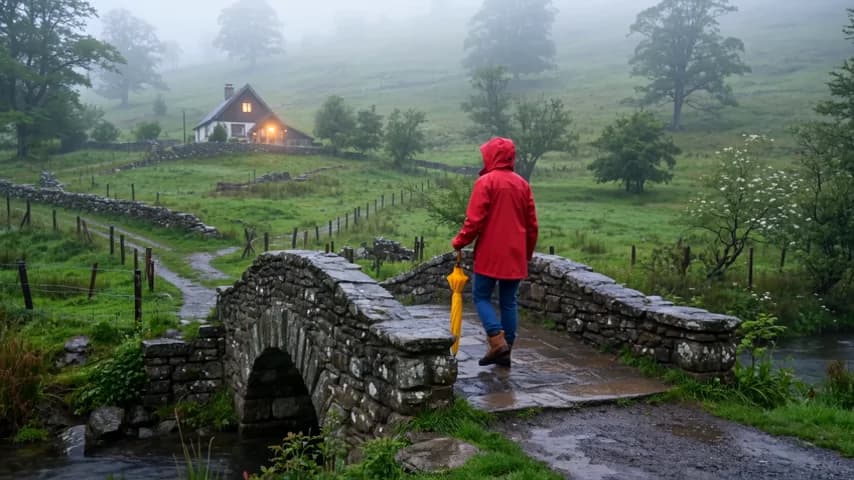
These illustrations were generated with standard Wan 3.0. They are not Seedance outputs or a comparison of model quality.
Seedance 2.5 pricing follows video-token usage. The table translates current rates into per-second estimates for 16:9 output at 24 fps, helping you budget a short test before preparing a longer take.
| Resolution | Reference video | Official price | Funny AI price | You save |
|---|---|---|---|---|
| 480p | No video | $0.0925 | 10% | |
| 480p | With video | $0.0553 | 10% | |
| 720p | No video | $0.208 | 10% | |
| 720p | With video | $0.1244 | 10% | |
| 1080p | No video | $0.5118 | 10% | |
| 1080p | With video | $0.3062 | 10% |
Estimates use 16:9 output at 24 fps. Other aspect ratios and actual output dimensions can change the cost.
Without reference video, only output seconds count. With reference video, input and output seconds count; billable input time is at least two-thirds of the output duration, rounded up to a whole second.
Official comparison: BytePlus international on-demand pricing. Checked 2026-10-15. Funny AI prices refresh automatically.
Input and output video tokens determine the final cost. Failed requests are not charged.
Reference footage adds billable input to a Seedance 2.5 request, with a minimum usage threshold. Draft uses the normal 480p rate, and a final render is another paid task. Turning generated audio off does not lower the token rate.
Seedance 2.5 is a ByteDance video model for creating scenes with synchronized sound from text and media inputs. Its longer duration gives a brief room for an arrival, a pause and a response within one generated clip. You can choose an output size up to 1080p for the version you intend to review or edit.
A larger reference collection helps you describe different parts of a Seedance 2.5 scene. Use one source for a character, another for the setting and a clip for the movement you have in mind. Explain those roles in the prompt so the material supports one coherent shot.
bytedance/seedance-2.5Seedance 2.5 accepts up to 30 reference images, 10 videos and 10 audio clips. Video references total at most 30 seconds; audio has its own thirty-second total.
The settings below follow this model’s specification and the controls available on Funny AI. Check the integration guide for input requirements.
Give Seedance 2.5 an ordered brief that fits within four to thirty seconds. Describe where the action begins and how it ends, leaving time for the important movement to read.
Use the larger Seedance 2.5 reference allowance to separate appearance, setting and movement. Select files that contribute a specific cue instead of adding unrelated examples to fill the available slots.
Give Seedance 2.5 a first frame and, optionally, a last frame when those compositions matter. Frame mode uses adaptive aspect ratio and stays separate from the mixed reference collection.
Seedance 2.5 offers a 480p Draft workflow with a separate 1080p final-generation step. You can inspect the draft before deciding whether to pay for the final task; output choices include MP4 and MOV.
Arrange Seedance 2.5 inputs in the Playground and inspect the prepared request. Review the estimate after choosing references and output settings, then submit when the brief is ready.
Use the Seedance 2.5 integration guide to prepare a request with your server-side key. Keep the returned task ID so your app can retrieve the same generation after completion.
Use Seedance 2.5 for a short narrative: a traveler crosses a bridge, pauses and notices a light. Write those beats in order, then review whether the finished clip gives each moment enough space.
Describe a camera passing around an object with Seedance 2.5, including the moment a detail comes into view. Reference images can explain the product’s appearance while your prompt directs the reveal.
Bring an audio reference to Seedance 2.5 even when you have no image or video reference. Add a visual brief that belongs with the sound, then review the completed picture and audio together.
Give Seedance 2.5 a subject, setting and ordered action. Make the ending clear enough to judge when the completed video reaches it.
Select frames or references for Seedance 2.5. Use fixed endpoints for composition, or a media collection when different sources guide appearance, movement and sound.
Choose the Seedance 2.5 duration and resolution, then check the current estimate. Keep the first test focused on the part of the brief you most need to evaluate.
Watch the complete Seedance 2.5 take for subject continuity and timing. Save the task ID with the settings before revising the scene or preparing a final generation.
The Seedance 2.5 API guide covers frame inputs, references and the Draft workflow. Submit once and keep the accepted task ID; your app can resume checking that task after a status-query interruption without creating another paid generation.
Integration guideSeedance 2.5 offers up to thirty seconds and a larger reference collection. Standard Seedance 2.0 reaches 4K but limits a single output to fifteen seconds. Start with the delivery your scene needs, then compare actual results using a matching brief.
| Model | Output options | Funny AI price |
|---|---|---|
| Seedance 2.5 | 480p / 720p / 1080p | From ≈$0.0925 / second · 16:9 |
| Seedance 2.0 | 480p / 720p / 1080p / 4K | From ≈$0.0633 / second · 16:9 |
Funny AI shows the Seedance 2.5 request and current estimate together, so the input mode and output settings are visible before you submit.
Keep the accepted Seedance 2.5 task available for later review. Your application and Playground use the same account balance for generation.
Use the linked Seedance 2.5 guide to compare duration, references and resolution before deciding which model to test for your scene.
The Seedance 2.5 comparison explains where the longer clip and expanded reference collection matter, and when standard 2.0’s larger output size may better fit the brief.
Seedance 2.5 vs 2.0: time, references and resolutionYes. Seedance 2.5 accepts four to thirty seconds or automatic duration. Give the action time to unfold and review the complete result; extra time does not guarantee that every requested event will appear correctly.
No. Seedance 2.5 offers 480p, 720p and 1080p. Standard 2.0 has a 4K option; choose around the size and length your edit needs.
Yes. Seedance 2.5 accepts reference audio without an accompanying reference image or video. You can provide up to ten audio clips with a combined duration of thirty seconds or less, and add a prompt to describe the visual scene you want.
Seedance 2.5 Draft uses the same 480p token rate as normal generation. Its value is the separate review step: you can inspect the draft before requesting a paid 1080p final task. Review each estimate separately when planning the total cost.
Choose one mode for a Seedance 2.5 request. First/last frames define endpoints, while the mixed reference collection supplies other media guidance. Frame generation uses adaptive aspect ratio; use the API guide to prepare the matching request fields.
No. The five-second, 480p illustration was generated with standard Wan 3.0. It gives you a scene idea to adapt for Seedance 2.5, with the source identified beside the player. It does not demonstrate this model’s duration, sound or performance.
Open Seedance 2.5 in the Playground, shape the scene and review the estimate. When the inputs are ready, use the integration guide to connect that workflow to your application.
Specifications checked: · Official model page · Release announcement